November 12, 2026
How Automatic Fall Alerts Help Families Respond Faster
By @wiseagingnotes
When an older loved one lives alone or spends time at home while family members are at work or elsewhere, a fall can turn a normal day into an emergency in seconds. The delay between the fall and the moment someone finds out often determines how serious the outcome becomes. Automatic fall alerts, built into wearable devices such as a GPS medical alarm, aim to close that gap. They can detect a fall and notify family contacts almost instantly, even when the person who fell cannot press a button or call for help.
Understanding how these alerts work, what they can and cannot do, and how families can make the most of them matters for anyone caring for an older relative. This article explains the technology, the response process, and the practical steps families can take to turn an alert into real help.
The core of automatic fall detection
A wearable medical alarm with automatic fall detection uses sensors to monitor sudden changes in movement and orientation. When the device detects a rapid downward motion followed by a lack of normal upright movement, it registers a possible fall. The device then typically waits a few seconds to confirm the event before sending an alert. This brief pause helps reduce false alarms from everyday actions like bending over to pick something up or sitting down quickly.
Once the device decides a fall has occurred, it sends a signal to a monitoring system or directly to a list of family contacts. In many designs, the alert includes the person's location, often derived from GPS built into the device. This location sharing is critical when the person has fallen outside the home, for example in the garden, on a walk, or in a car park.
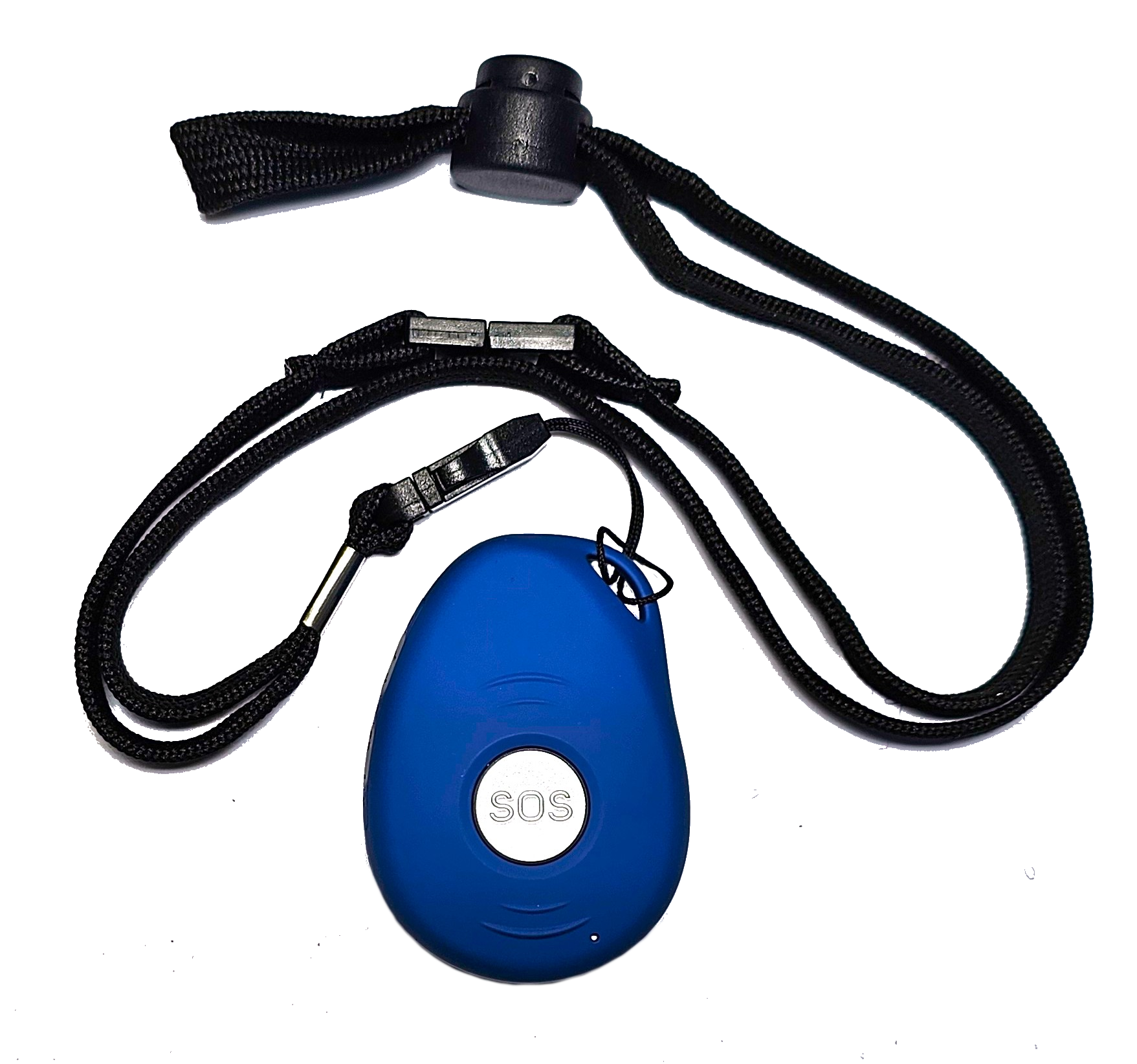
Not all falls are the same. A slow slide off a chair may not trigger a motion-based sensor, while a trip on uneven ground usually does. Some devices also allow the wearer to press an SOS button manually if they can reach it. The combination of automatic detection and a manual option gives a wider safety net, but neither is perfect. Understanding the limits helps families set realistic expectations.

What happens after the alert
When an alert goes out, the speed of the response depends on who receives it and how they act. Most systems send an SMS alert or a phone notification to a preset list of family contacts, neighbours, or carers. The message typically states that a fall has been detected and includes the person's location. Some devices also support two way communication, allowing a family member to speak directly through the device to check on the person before rushing over or calling an ambulance.
This is where having a clear response plan matters. If multiple people receive the same alert, they need to know who will call the person first, who will go to the location, and who will contact emergency services if needed. Without a plan, everyone may assume someone else is handling it, which wastes time. A simple arrangement, such as "the nearest contact goes, the next calls the person, and the third waits for updates," can turn a chaotic moment into a coordinated response.
For families spread across different suburbs or cities, knowing that an alert has been sent can bring reassurance even when they cannot be there in person. A neighbour or local whanau member can act as the on-site responder. The system gives everyone the same information at the same time, which makes it easier to decide who can help fastest.
When automatic alerts make the biggest difference
The clearest advantage of automatic fall detection is the ability to help finding a loved one when they cannot call for help themselves. A person who falls and hits their head, loses consciousness, or becomes trapped under furniture may not be able to press any button. In those situations, every minute counts. A device that alerts family within seconds rather than hours can change the medical outcome dramatically.
Another scenario where these alerts prove valuable is when the person has dementia or confusion. They may wander off and fall in an unfamiliar place. The GPS location sent with the alert allows family members to go straight to the spot instead of searching aimlessly. This combination of fall detection and location sharing gives families a tool that a standard alarm or a phone call cannot offer.
That said, automatic detection is not foolproof. Sensors can miss some falls, especially slow or controlled ones. They can also trigger false alarms from vigorous activity or dropping the device. Families should treat every alert seriously but also understand that occasional false alarms are normal. Over time, they can learn what triggers false alerts and adjust the wearer's habits or the device settings if possible.
Practical steps for families
To get the most from a GPS medical alarm with automatic fall detection, families can take a few simple actions.

- Test the device regularly. Ask the wearer to press the SOS button once a week and confirm that the alert reaches the intended contacts. This also helps the wearer stay familiar with how the device works.
- Keep contact details up to date. If a family member changes their phone number or email, update the alert list immediately. An alert that goes to an old number is no help.
- Discuss what each person will do when an alert arrives. Assign roles: who calls first, who goes to the location, who contacts emergency services. Write it down and share it with everyone.
- Involve neighbours or local whanau members if family live far away. Give them the same alert access so they can check on the person quickly.
- Review the response after any real alert. What worked? What was slow or confusing? Adjust the plan based on what happened.
These steps turn a piece of technology into a real safety net. The device alone cannot help; it needs people who know how to act on the information it provides.
The bigger picture: peace of mind vs. constant worry
For many families, the value of automatic fall alerts goes beyond the practical. Knowing that a device can help finding a loved one after a fall reduces the background anxiety that comes with caring from a distance. Instead of calling several times a day to check in, family members can rely on the device to notify them only when something is wrong. That shift allows older adults to maintain more independence and privacy while still having a safety net.
At the same time, families should not treat the device as a replacement for regular contact or for checking on the person's overall health. A fall alert tells you a fall happened, but it does not tell you why. Changes in mobility, medication side effects, or vision problems can increase fall risk. Staying in touch and noticing changes in the person's condition remains important.
What to watch for when choosing a device
Not all automatic fall detection systems work the same way. Some use accelerometers, others use gyroscopes, and some combine both. The placement of the device matters too. A pendant worn around the neck may detect falls differently than a wristband. The person's typical activities and environment should guide the choice. If they spend a lot of time outdoors, GPS accuracy and battery life become more important. If they are prone to wandering, location sharing and geofence alerts may add extra safety.
Another factor is the alert path. Some devices send alerts to a monitoring centre that then contacts family. Others send alerts directly to family phones. Both approaches have trade-offs. A monitoring centre can evaluate the situation and call emergency services, but it adds a step. Direct alerts put the decision-making in the family's hands, which can be faster if someone is available to respond. The right choice depends on the family's availability and the person's medical needs.
No single device fits every situation. Families should talk openly with the older person about what they are comfortable wearing and what features they find easy to use. A device that sits in a drawer because the wearer finds it annoying is useless. Finding a design that the person will actually wear every day is the first and most important step.
Moving from reaction to prevention
While automatic fall alerts focus on the moment after a fall, families can also use the information from these devices to reduce future risks. If alerts happen often, it may signal a decline in balance or strength that needs medical attention. Some families use the location data to notice patterns, such as falls in a particular area of the house, and then make changes like adding grab bars or improving lighting.
In this way, a device meant for emergency response can also support longer-term care decisions. It gives families data they would not otherwise have, especially if they do not live with the older person. Used wisely, that information can help prevent the next fall before it happens.
Automatic fall alerts are not a perfect solution, but they are a practical one. They buy time, reduce uncertainty, and give families a clearer path to action when something goes wrong. For anyone caring for an older relative, understanding how these systems work and how to use them well is a small effort that can make a very big difference.
❧